
나의 블로그
[GitHub] 뱃지로 Readme.md 꾸미기 본문

위 뱃지에 대한 코드는 다음과 같다
## 2. 개발환경
- Front-end :
  <img src="https://img.shields.io/badge/react-61DAFB?style=for-the-badge&logo=react&logoColor=white">
  <img src="https://img.shields.io/badge/javascript-F7DF1E?style=for-the-badge&logo=javascript&logoColor=white">
  <img src="https://img.shields.io/badge/css3-1572B6?style=for-the-badge&logo=css3&logoColor=white">
  <img src="https://img.shields.io/badge/HTML5-E34F26?style=for-the-badge&logo=HTML5&logoColor=white">
- Back-end :

- 협업 툴 :
  <img src="https://img.shields.io/badge/github-181717?style=for-the-badge&logo=github&logoColor=white">
  <img src="https://img.shields.io/badge/notion-000000?style=for-the-badge&logo=notion&logoColor=white">
- 디자인 : <img src="https://img.shields.io/badge/figma-F24E1E?style=for-the-badge&logo=figma&logoColor=white">
아래 형식을 이용하여 작성하면 되는데,
<img src="https://img.shields.io/badge/<로고이름>-<RGB색상>?style=for-the-badge&logo=<로고이름>&logoColor=white">
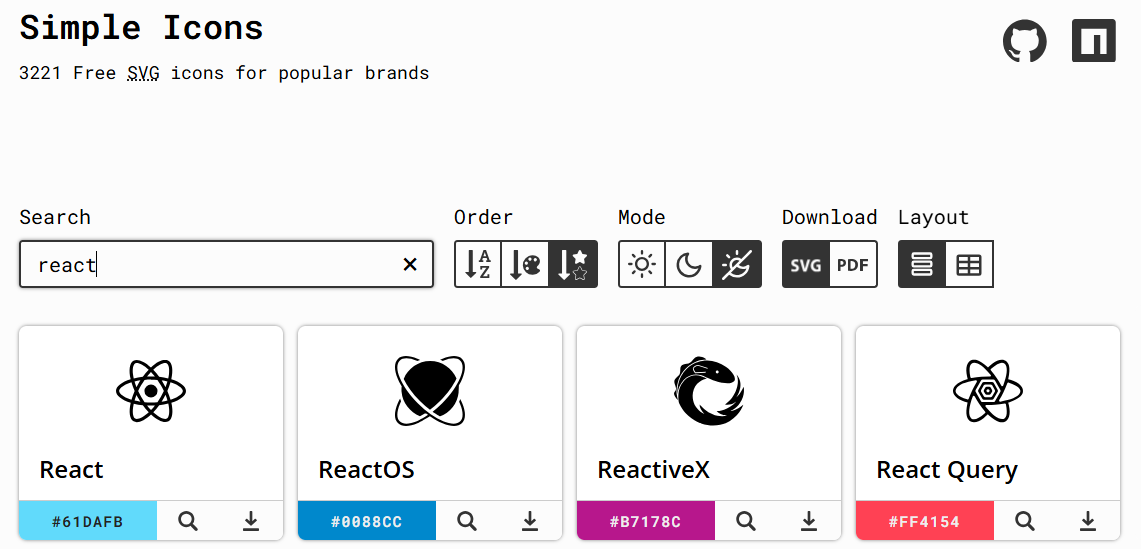
로고이름과 RGB색상은 아래 링크를 이용하면 편하다.
Simple Icons
3221 Free SVG icons for popular brands
simpleicons.org
원하는 기술을 검색한 후, 해당 기술명과 RGB코드를 클릭하여 복사가 가능하다.
(주의) RGB코드를 클릭하면 #가 함께 복사되는데, #를 지우고 숫자 6자리로 사용해야 한다.
'Project' 카테고리의 다른 글
| [GitHub] 포크(Fork) (0) | 2024.11.14 |
|---|---|
| [GitHub] 레포지토리 프로젝트 접근 방법 (2) | 2024.11.14 |
| [GitHub] 가장 최근 커밋 삭제 (0) | 2024.09.12 |
| [GitHub] 브랜치 협업 방법 (0) | 2024.09.10 |
| [React] 협업 시작하기 (0) | 2024.07.17 |